
Building Custom CRM and ERP Systems: The B2B Guide to Custom Software Architecture
Discover why B2B companies are investing in custom CRM software development over SaaS platforms—and the architecture patterns, ROI math, and integration strategies behind it.
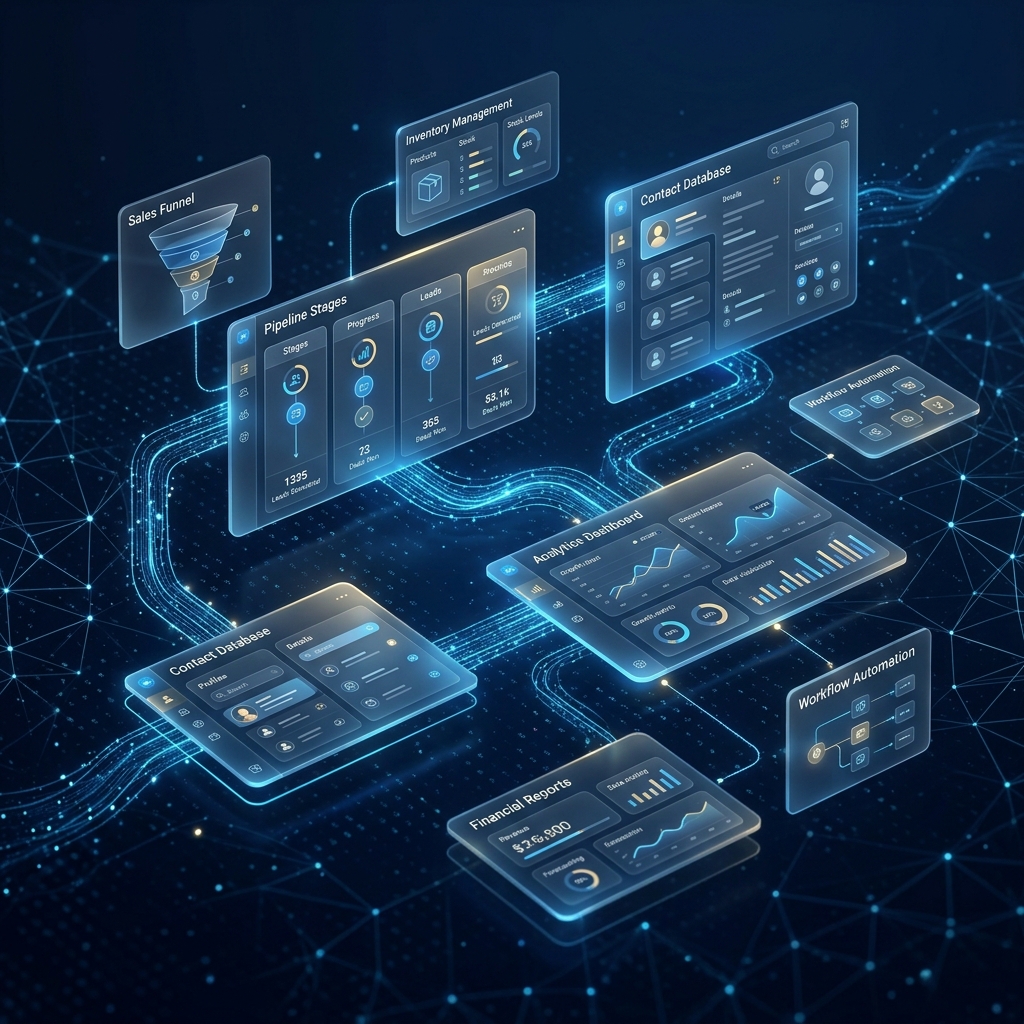
Every growth-stage B2B company eventually reaches the same inflection point: the CRM or ERP platform that once felt like a perfect fit now feels like a straightjacket. Customisation hacks pile up, per-seat licensing costs balloon, and critical workflows live in spreadsheets because the platform "doesn't support that." When that moment arrives, the conversation shifts from which SaaS tool to should we build our own.
This guide is for technical leaders and operations executives evaluating custom CRM software development as a strategic investment. We will walk through the business case, architecture decisions, database design, integration patterns, and compliance considerations that separate a successful custom build from an expensive mistake.
Why Businesses Outgrow SaaS CRM and ERP Platforms
SaaS platforms like Salesforce, HubSpot, and SAP Business One are excellent starting points. They offer quick deployment, a broad feature set, and minimal upfront capital expenditure. But the economics and flexibility equation changes as a company scales past 50–100 users or develops highly specialised workflows.
The most common pain points we hear from mid-market and enterprise clients include:
- Per-seat cost escalation: Salesforce Enterprise Edition runs USD 165/user/month. At 150 users, that is nearly USD 300,000 per year—before add-ons, API call overages, or premium support tiers.
- Customisation ceilings: Platforms impose guardrails—Apex governor limits in Salesforce, workflow automation caps in HubSpot—that restrict complex business logic.
- Data sovereignty concerns: Multi-tenant SaaS platforms store data in shared infrastructure, which can conflict with GDPR, PDPA (Singapore), or industry-specific compliance mandates.
- Integration fragility: Connecting a SaaS CRM to proprietary warehouse management, billing, or logistics systems often requires brittle middleware that breaks with every platform update.
- Vendor lock-in: Years of configuration, custom objects, and workflow rules create switching costs that make migration feel impossible—even when the platform no longer serves the business.
If your organisation is experiencing three or more of these issues, it is worth modelling the economics of a custom build. For a deeper look at the build-versus-buy calculus, see our analysis of bespoke software development vs SaaS.
The ROI Equation: SaaS Licensing vs Custom Development Over 3–5 Years
The single biggest misconception about custom CRM software development is that it is "too expensive." In reality, the comparison is between a high recurring operational expense (SaaS) and a capitalised investment that appreciates over time (custom software).
Let us model a concrete scenario for a company with 150 CRM users:
┌──────────────────────────────┬──────────────────┬──────────────────┐
│ Cost Category                │ SaaS (Salesforce) │ Custom Build     │
├──────────────────────────────┼──────────────────┼──────────────────┤
│ Year 1 Licensing / Dev       │ $297,000         │ $350,000         │
│ Year 2 Licensing / Maint     │ $312,000 (+5%)   │ $60,000          │
│ Year 3 Licensing / Maint     │ $328,000 (+5%)   │ $65,000          │
│ Year 4 Licensing / Maint     │ $344,000 (+5%)   │ $70,000          │
│ Year 5 Licensing / Maint     │ $361,000 (+5%)   │ $75,000          │
├──────────────────────────────┼──────────────────┼──────────────────┤
│ 5-Year Total                 │ $1,642,000       │ $620,000         │
│ Integration / Add-on Costs   │ ~$120,000        │ Built-in         │
├──────────────────────────────┼──────────────────┼──────────────────┤
│ 5-Year Grand Total           │ $1,762,000       │ $620,000         │
└──────────────────────────────┴──────────────────┴──────────────────┘
The custom build breaks even midway through Year 2 and delivers over $1.1 million in savings across five years. Critically, the custom system is an asset the company owns outright—there is no risk of a vendor doubling prices or deprecating a critical API.
These numbers assume a senior development team. If you are evaluating staffing models, our comparison of Toptal alternatives for software development can help you benchmark agency and freelance rates.
Architecture Patterns: Modular Monolith vs Microservices for CRM
One of the earliest and most consequential decisions in custom CRM software development is the system architecture. The two dominant patterns are the modular monolith and microservices.
Modular Monolith
A modular monolith deploys as a single application but enforces strict module boundaries internally—separate modules for Contacts, Deals, Invoicing, Reporting, and so on. Modules communicate through well-defined internal interfaces, not direct database queries across boundaries.
Best for: Teams of 3–15 developers, companies with fewer than 500 concurrent users, and organisations that value deployment simplicity over independent scaling.
// Example: modular monolith structure (Node.js / NestJS)
src/
├── modules/
│   ├── contacts/
│   │   ├── contacts.module.ts
│   │   ├── contacts.controller.ts
│   │   ├── contacts.service.ts
│   │   └── entities/
│   │       └── contact.entity.ts
│   ├── deals/
│   │   ├── deals.module.ts
│   │   ├── deals.service.ts
│   │   └── entities/
│   │       └── deal.entity.ts
│   ├── invoicing/
│   │   ├── invoicing.module.ts
│   │   └── invoicing.service.ts
│   └── reporting/
│       ├── reporting.module.ts
│       └── reporting.service.ts
├── common/
│   ├── database/
│   ├── auth/
│   └── event-bus/
└── main.ts
Microservices
A microservices architecture deploys each module as an independent service with its own database, scaling profile, and deployment pipeline. Services communicate via asynchronous messaging (e.g., RabbitMQ, Apache Kafka) or synchronous APIs.
Best for: Organisations with 15+ developers, high-volume transaction processing, or regulatory requirements that mandate data isolation between business domains.
For most mid-market CRM builds, we recommend starting with a modular monolith and extracting services only when a specific module has materially different scaling or deployment requirements. This avoids the distributed-systems tax—network latency, eventual consistency, distributed tracing—until it is genuinely warranted.
Database Design for Multi-Entity CRM Systems
The data model is the backbone of any CRM. A poorly designed schema will haunt the project for years; a well-designed one will make every feature easier to build.
Core Entity Relationships
Most B2B CRMs revolve around a predictable set of core entities. Here is a normalised PostgreSQL schema covering the essentials:
-- Core CRM schema (PostgreSQL)
CREATE TABLE organisations (
    id            UUID PRIMARY KEY DEFAULT gen_random_uuid(),
    name          VARCHAR(255) NOT NULL,
    industry      VARCHAR(100),
    website       VARCHAR(255),
    created_at    TIMESTAMPTZ DEFAULT now(),
    updated_at    TIMESTAMPTZ DEFAULT now()
);

CREATE TABLE contacts (
    id              UUID PRIMARY KEY DEFAULT gen_random_uuid(),
    organisation_id UUID REFERENCES organisations(id),
    first_name      VARCHAR(100) NOT NULL,
    last_name       VARCHAR(100) NOT NULL,
    email           VARCHAR(255) UNIQUE NOT NULL,
    phone           VARCHAR(50),
    role            VARCHAR(100),
    created_at      TIMESTAMPTZ DEFAULT now()
);

CREATE TABLE deals (
    id              UUID PRIMARY KEY DEFAULT gen_random_uuid(),
    organisation_id UUID REFERENCES organisations(id),
    contact_id      UUID REFERENCES contacts(id),
    title           VARCHAR(255) NOT NULL,
    value           NUMERIC(12,2),
    currency        CHAR(3) DEFAULT 'USD',
    stage           VARCHAR(50) DEFAULT 'prospect',
    expected_close  DATE,
    created_at      TIMESTAMPTZ DEFAULT now()
);

CREATE TABLE activities (
    id          UUID PRIMARY KEY DEFAULT gen_random_uuid(),
    deal_id     UUID REFERENCES deals(id),
    contact_id  UUID REFERENCES contacts(id),
    type        VARCHAR(50) NOT NULL,  -- 'email', 'call', 'meeting', 'note'
    summary     TEXT,
    occurred_at TIMESTAMPTZ DEFAULT now()
);

-- Indexes for common query patterns
CREATE INDEX idx_contacts_org ON contacts(organisation_id);
CREATE INDEX idx_deals_stage ON deals(stage);
CREATE INDEX idx_activities_deal ON activities(deal_id);
CREATE INDEX idx_deals_expected_close ON deals(expected_close);
Handling Custom Fields
Every CRM eventually needs user-defined custom fields. The two proven approaches are:
- EAV (Entity-Attribute-Value) tables: Flexible but complex to query and index. Works for low-volume custom data.
- JSONB columns: PostgreSQL's
JSONBtype lets you store arbitrary key-value data with full indexing support via GIN indexes. This is our preferred approach for most projects.
-- Adding custom fields via JSONB
ALTER TABLE contacts ADD COLUMN custom_fields JSONB DEFAULT '{}'::jsonb;

-- GIN index for fast lookups on custom fields
CREATE INDEX idx_contacts_custom ON contacts USING GIN (custom_fields);

-- Query: find contacts where custom field 'lead_source' = 'webinar'
SELECT * FROM contacts
WHERE custom_fields @> '{"lead_source": "webinar"}';
For deep dives into PostgreSQL performance at scale, see our PostgreSQL query tuning guide—many of the indexing and query optimisation strategies apply directly to CRM workloads.
Integration Patterns: REST APIs, Webhooks, and Event-Driven Architecture
A CRM does not exist in isolation. It must integrate with email platforms, accounting software, marketing automation, shipping providers, and often dozens of internal tools. The integration strategy you choose has a direct impact on reliability, latency, and maintenance burden.
REST APIs for Synchronous Operations
Use RESTful endpoints for operations where the caller needs an immediate response—creating a contact, updating a deal stage, or fetching a report. Follow OpenAPI 3.x conventions and version your APIs from day one.
// Express.js route example
router.post('/api/v1/contacts', authenticate, async (req, res) => {
  const contact = await contactService.create(req.body);
  res.status(201).json({ data: contact });
});

router.get('/api/v1/deals', authenticate, async (req, res) => {
  const { stage, minValue, page } = req.query;
  const deals = await dealService.list({ stage, minValue, page });
  res.json({ data: deals, meta: { page: deals.page, total: deals.total } });
});
Webhooks for External Notifications
Webhooks push real-time event notifications to external systems. When a deal closes, fire a webhook to the invoicing system. When a contact unsubscribes, notify the email marketing platform. Always implement retry logic with exponential backoff and signature verification for security.
Event-Driven Architecture for Internal Communication
For internal module communication—especially in a modular monolith—an event bus decouples producers from consumers. A deal.closed event can trigger invoice generation, commission calculation, and reporting updates without any module directly calling another.
// Event-driven pattern with an internal event bus
class DealService {
  async closeDeal(dealId: string) {
    const deal = await this.dealRepo.updateStage(dealId, 'closed_won');

    // Emit event — listeners handle side effects
    this.eventBus.emit('deal.closed', {
      dealId: deal.id,
      organisationId: deal.organisationId,
      value: deal.value,
      currency: deal.currency,
      closedAt: new Date().toISOString(),
    });

    return deal;
  }
}

// Separate listener in the invoicing module
class InvoiceListener {
  @OnEvent('deal.closed')
  async generateInvoice(payload: DealClosedEvent) {
    await this.invoiceService.createFromDeal(payload);
  }
}
This pattern is the foundation of scalable custom CRM software development—it keeps modules autonomous and makes the system easier to extend as business requirements evolve.
Security and Compliance: GDPR, SOC 2, and Beyond
Handling customer data in a CRM carries significant legal and reputational risk. Security and compliance must be designed into the architecture, not bolted on after launch.
Key Security Controls
- Role-Based Access Control (RBAC): Define granular permissions—sales reps see their own deals, managers see their team's, executives see everything. Implement at the API layer, not just the UI.
- Encryption at rest and in transit: AES-256 for data at rest (PostgreSQL Transparent Data Encryption or application-level encryption for sensitive fields), TLS 1.3 for all data in transit.
- Audit logging: Record every create, update, and delete operation with the acting user, timestamp, and before/after values. This is a hard requirement for SOC 2 Type II.
- Data minimisation and retention policies: Under GDPR, you must collect only the data you need and delete it when it is no longer necessary. Build automated data retention and purging workflows into the CRM from the start.
- API rate limiting and input validation: Protect against brute-force attacks and injection vulnerabilities. Use parameterised queries (never string concatenation) for all database operations.
Compliance Frameworks
If your clients or your own organisation operate in the EU, you must comply with GDPR. If you serve US enterprise clients, SOC 2 Type II certification is increasingly table stakes. In Singapore, the Personal Data Protection Act (PDPA) applies. A custom-built CRM gives you full control over data residency, processing agreements, and consent management—controls that are often limited or opaque in multi-tenant SaaS platforms.
Case Study: Mid-Market Firm Saves $200K Per Year After Migrating Off Salesforce
A mid-market logistics company in Southeast Asia with 180 sales and operations staff was spending approximately $420,000 per year on Salesforce Enterprise licenses, premium API access, and three managed packages for quoting, route optimisation, and document generation.
The Problem
Despite the investment, the sales team was spending 30% of their time on manual data entry because Salesforce's automation tools could not handle the company's multi-leg shipment quoting process. Custom Apex development had hit governor limits, and the managed packages introduced conflicting triggers that caused intermittent data corruption.
The Solution
The company engaged a custom development team to build a purpose-built CRM and quoting engine using a Node.js modular monolith backed by PostgreSQL. The project was scoped at 16 weeks with a core team of four engineers.
Key architectural decisions included:
- A JSONB-powered custom fields system that let operations managers define new shipment attributes without developer involvement.
- An event-driven quoting engine that automated multi-leg price calculations—reducing quote generation from 25 minutes to under 90 seconds.
- Direct integration with the company's proprietary warehouse management system via an internal REST API, eliminating the brittle middleware layer.
- Row-level security in PostgreSQL to enforce data access policies at the database layer, not just the application layer.
The Results
- Annual cost reduction: From $420,000 (Salesforce + packages) to $190,000 (hosting + maintenance + one dedicated support engineer), a saving of $230,000 per year.
- Productivity gain: Quote generation time dropped by 94%, freeing the sales team to handle 40% more inbound enquiries.
- Data integrity: Zero data corruption incidents in the first 12 months, compared to an average of three per quarter under the previous system.
- Compliance: Full PDPA compliance with data residency in Singapore—something that required an expensive Salesforce Shield add-on previously.
"We were paying Salesforce more than some of our mid-level managers earn in a year—per head. The custom build paid for itself in seven months and gave us a system that actually fits how our business operates."
— Head of Operations, Southeast Asia Logistics Firm
Frequently Asked Questions
How long does it take to build a custom CRM from scratch?
A production-ready MVP with core modules—contacts, deals, activities, reporting, and user management—typically takes 12 to 20 weeks with a team of 3–5 senior developers. More complex systems with ERP modules (invoicing, inventory, procurement) may take 6–9 months. The modular monolith approach lets you launch with core CRM functionality and add modules incrementally.
Is custom CRM software development suitable for small businesses?
For companies with fewer than 20 CRM users and standard sales workflows, SaaS platforms like HubSpot Free or Pipedrive typically offer better value. Custom CRM software development becomes financially compelling when you have 50+ users, complex or industry-specific workflows, or compliance requirements that SaaS platforms cannot satisfy without expensive add-ons.
What tech stack do you recommend for a custom CRM?
Our standard recommendation for B2B CRM systems is Node.js (NestJS) or Laravel for the backend, PostgreSQL for the database, React or Next.js for the frontend, and Redis for caching and session management. This stack balances developer availability, performance, and long-term maintainability. The choice between Node.js and Laravel often depends on your team's existing expertise and concurrency requirements.
How do you handle data migration from Salesforce to a custom CRM?
Data migration follows a four-phase process: (1) Export—use the Salesforce Data Loader or Bulk API to extract all objects, relationships, and attachments. (2) Transform—map Salesforce objects and custom fields to your new schema, clean duplicates, and normalise data. (3) Load—import into the new PostgreSQL database using batch insert scripts with validation checks. (4) Verify—run reconciliation reports comparing record counts, relationship integrity, and field-level checksums between source and target. We recommend running both systems in parallel for 2–4 weeks before decommissioning Salesforce.
What are the ongoing maintenance costs for a custom CRM?
Annual maintenance costs typically run 15–20% of the initial development cost. For a $350,000 build, expect $50,000–$70,000 per year covering cloud infrastructure, security patches, minor feature enhancements, database maintenance, and on-call support. This is substantially lower than equivalent SaaS licensing costs at scale and gives you a system that improves with your business rather than constraining it.
Build the CRM Your Business Actually Needs
Off-the-shelf CRM and ERP platforms are powerful—until they are not. When your business processes outgrow the platform's assumptions, you face a choice: contort your workflows to fit the software, or build software that fits your workflows.
Custom CRM software development is not about reinventing the wheel. It is about engineering a system that matches your data model, your compliance requirements, your integration landscape, and your growth trajectory—without paying a per-seat tax that scales linearly while your revenue scales exponentially.
At Nexura Tech, we specialise in designing and building custom CRM, ERP, and business automation systems for B2B companies across Southeast Asia and beyond. Whether you are migrating off Salesforce, replacing a legacy in-house system, or building from the ground up, our engineering team can help you architect a solution that delivers measurable ROI.
Get in touch with our team to schedule a free architecture consultation and find out what a purpose-built CRM could do for your business.